キャラクターを
もっと活かそう
1枚のシートから数秒で切り出し。各プラットフォームですぐ使えるPNGに仕上げます。
ステッカーシートを分割
枚数を選んでシートをアップロード。すべての画像をZIPでまとめて保存できます。
Choose Sticker Count
What is a Sticker Board?
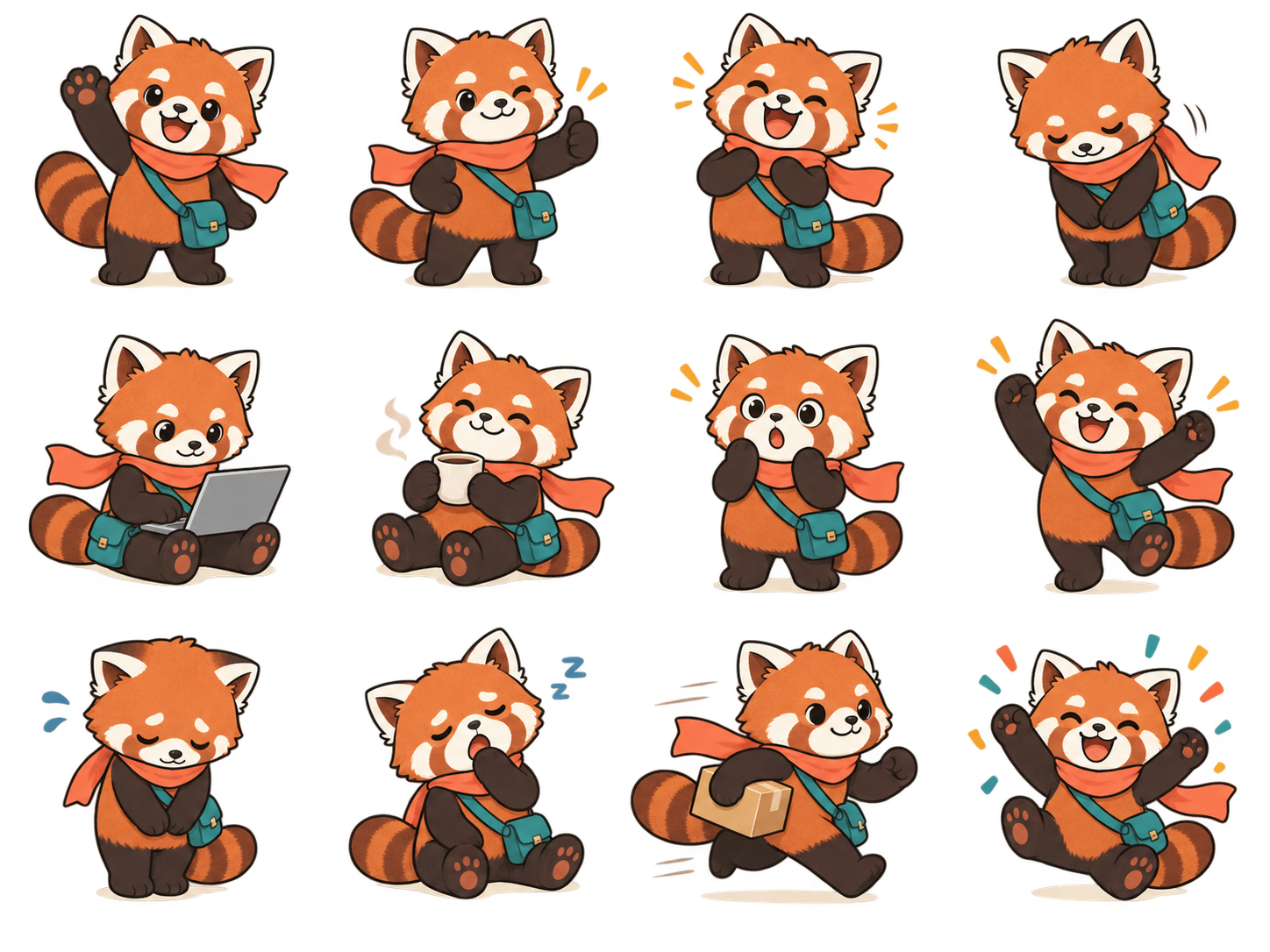
Upload one image file containing 12 stickers arranged in a 4×3 grid. StickerFaster automatically detects, splits, and formats each one.
詳細トリミングを開く
AI Sticker Board Prompt
First design a sticker character, then copy the prompt into an AI image generator.
Use this character as my character. Please use [my character] to generate a 4×3 sticker sheet suitable for sticker production. Basic specifications: - Canvas size: 1480×960 px. - Layout: 4×3, 12 stickers in total. - Each cell must be fixed at 370×320 px. - Arrange the 12 stickers from left to right, top to bottom. - Each sticker must stay completely inside its own cell and must not overlap with other stickers. Character consistency: - Each cell should show the same character with different expressions, actions, or daily-life situations. - The character must keep the same design, same color palette, same art style, and same line style. Background and visual restrictions: - Use a pure white background. - No white borders, sticker frames, glow effects, shadow halos, logos, watermarks, numbers, or grid lines. - Every character must have a clear, dark, complete, continuous, and closed outer outline for later background removal. Text requirements: - Keep every phrase clear, fully inside its cell, away from the canvas edge, and separated from the character outline. - If space is limited, reduce the text size or adjust the character position.
12 Daily Phrases (Editable Below)
スタンプ制作に必要な機能をまとめて
AI background removal
Create transparent PNG stickers with crisp subject edges.
ExplorePrecision cropper
Adjust ratio, output size, padding and preview backgrounds.
ExploreFree editor
Draw, add text, arrange layers and prepare animated stickers.
ExplorePlatform-ready exports
Export presets for LINE, WeChat, Telegram, WhatsApp and Discord.
Explore